
Summary
Editor's rating
Is the Q20 Ultra worth the money?
Looks, build, and how it handles real-world obstacles
Battery life, noise, and how it behaves on longer runs
Build quality, maintenance, and how it holds up week after week
Cleaning performance: suction, mapping, and pet hair reality
What you actually get and how it fits into a normal home
Mopping, self-emptying, and how much work it really saves
Pros
- Strong suction and effective pet hair pickup on hard floors and carpets
- Bagless self-emptying base reduces maintenance and ongoing costs
- LiDAR mapping with room selection, no-go zones, and reliable auto recharge/resume
Cons
- Mopping is basic and requires removing the mop holder before cleaning carpets
- Needs regular brush and filter maintenance, especially in homes with pets

Specifications
View full product page →| Brand | Airzeen |
A robot vacuum that actually gets used, not just admired
I’ve been using the Airzeen Q20 Ultra at home for a bit now, in a pretty normal UK setup: small hallway, open-plan living room with a big rug, kitchen with hard floors, and two bedrooms. Plus a dog that sheds all year and a cat that thinks the litter tray is a suggestion. I bought it mainly because I was sick of daily sweeping and hoovering, and I wanted something that I could just set and forget as much as possible.
Before this, I had a cheaper robot vacuum without a base and without proper mapping. It bumped around randomly, got stuck a lot, and the dustbin had to be emptied almost every run. So I went for this Q20 Ultra because of three things: self-emptying, LiDAR mapping, and that advertised 10000Pa suction. I wasn’t expecting miracles, just something that would actually keep the floors under control without me babysitting it.
In practice, it’s not perfect, but it’s a clear step up from the cheap bots. The self-emptying works, the mapping is decent, and the suction is strong enough that carpets look cleaner than with my old stick vac. The mop is okay for light dirt, not a replacement for a proper mop if your floors are really grimy. The app is usable but not fancy, and the Wi‑Fi setup is the usual 2.4 GHz faff.
If you’re expecting a magic robot that does all the cleaning and never needs attention, you’ll be disappointed. You still need to empty the big dust cup every few weeks, clean the roller, and swap mop pads. But if you just want to cut your vacuuming time by a lot and are fine doing some light maintenance, it gets the job done pretty well overall.
Is the Q20 Ultra worth the money?
Price-wise, the Airzeen Q20 Ultra sits in that mid-range bracket where you expect more than a basic bump-and-go robot but less polish than the big-name flagships. For what you pay, you’re getting LiDAR mapping, self-emptying, simultaneous vacuum and mop, and app/Alexa control. On paper, that’s a lot of features. In real life, most of them actually work as advertised, which is the important bit.
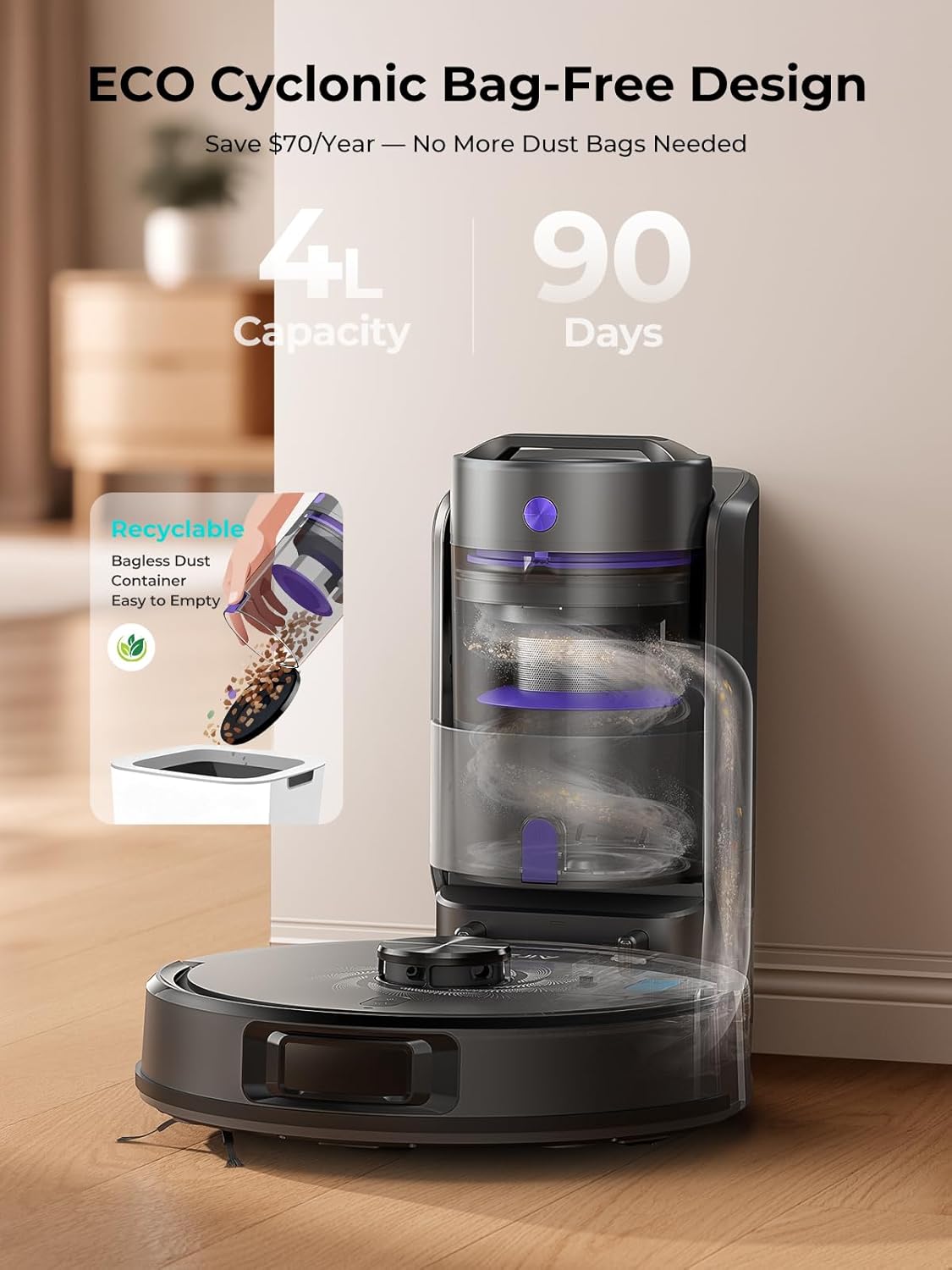
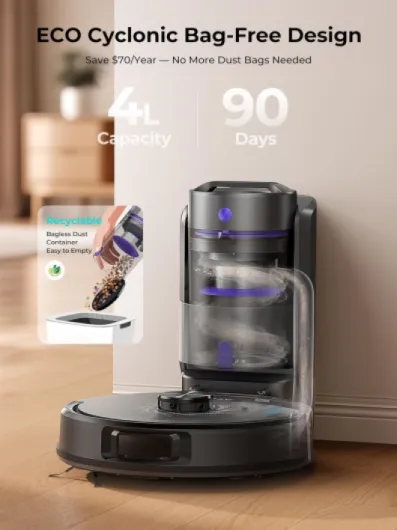
The big money saver is the bagless base. A lot of self-emptying robots use disposable bags that you have to replace regularly, which adds up over time. Here, you just empty and rinse the dust cup. If you’re using it often and have pets, that’s easily a decent saving over a year or two. You also get a fair amount of spare parts in the box (filters, mop pads, side brushes), so you’re not buying accessories immediately.
Compared to cheaper models (including older Airzeen J10-type robots), the main difference is the navigation and the base. If you don’t care about self-emptying and can live with basic navigation, you could spend less. But if you’re like me and know that having to empty a tiny bin every run will make you stop using it after a month, the extra spend on the Q20 Ultra is justifiable. The fact that it actually keeps cleaning without much input is the whole point.
On the downside, the mop is just decent, not great, and there are rival brands with more advanced mopping systems or slightly slicker apps. If heavy-duty mopping is your main focus, you might feel a bit short-changed. But if your main goal is to cut down vacuuming time, keep pet hair under control, and not fuss with dust bags, I’d call the Q20 Ultra good value for money, especially if you catch it on offer.
Looks, build, and how it handles real-world obstacles
Design-wise, the Q20 Ultra is plain and functional. It’s a black plastic robot with a LiDAR turret on top and the usual front bumper. No chrome, no fancy light show. Personally, I prefer that – it just blends into the room instead of looking like a toy. The plastics feel decent enough for the price. It doesn’t feel premium, but it doesn’t feel flimsy either. After some bumps into chair legs and skirting boards, there are a few scuffs on the bumper, but nothing worrying.
The base station is also simple: matte-ish plastic, a front dust cup you pull out, and LED indicators. No massive touchscreen or anything, which I’m fine with. One thing I noticed is that the base needs a bit of clear space around it for the robot to dock properly. If you try to wedge it in too tight between furniture, the robot can sometimes struggle to line up and dock, especially if the floor isn’t totally flat. I ended up giving it around 0.5m clear space on each side and that solved it.
In terms of moving around the house, the LiDAR turret helps a lot. It doesn’t slam into things at full speed like cheaper models. It slows down as it approaches furniture and gently bumps or avoids it. It handles table and chair legs decently, though like every robot vac, it can get tangled if you leave loads of cables on the floor. The height means it can go under most things, but it will get blocked by low TV units or beds with very little clearance. That’s normal; just don’t expect it to clean under absolutely everything.
One downside is the mop plate clearance. If you forget to remove the mop holder before sending it onto thicker rugs or medium-pile carpets, it can drag the damp cloth across them. The manual actually warns you to remove the mop holder before cleaning carpets. It’s not a design disaster, but it’s one more thing to remember. Overall, the design is practical: not pretty, not ugly, just built to do the job without you worrying about it too much.
Battery life, noise, and how it behaves on longer runs
The spec says up to 180 minutes of runtime, and like always, that’s in the lowest suction mode on hard floors. In real use, on mixed floors and medium suction, I’m seeing more like 110–140 minutes before it heads back to the dock. For my layout (roughly 60–70m² of actual floor space once you remove furniture), that’s enough to do a full clean in one go without needing a recharge mid-job.
On max power, the runtime drops quite a bit – you’re looking at maybe an hour or a bit less if you’re doing mostly carpets. That’s still enough for a targeted deep clean of a couple of rooms. The good part is the auto recharge and resume actually works. If it runs low, it goes back to the dock, charges, then returns to where it left off and finishes the job. It doesn’t restart from the beginning like some cheaper models, so you don’t end up wasting battery re-cleaning the same areas.
Noise-wise, it’s not silent, but it’s not crazy loud either. The spec says around 50 dB, which matches my impression on the lower modes – more like a hum in the background. On max suction it’s noticeably louder, but still less annoying than a regular upright vacuum. I can still watch TV with it running on medium in the next room. If you’re working from home and easily distracted by noise, just schedule it to run while you’re out or in another part of the house.
Charging from near empty takes a couple of hours. I just leave it on the base permanently, so I never really think about it. I haven’t had it fail to dock due to low battery yet. Over time, battery performance might drop like any lithium-ion battery, but with a 2‑year warranty I’m not too worried right now. Overall, for a normal-sized flat or a typical UK semi, the battery is good enough that you don’t have to obsess over it or micromanage cleaning runs.
Build quality, maintenance, and how it holds up week after week
In terms of build quality, the Q20 Ultra feels like a mid-range product: not cheap junk, but not premium either. The plastics are solid enough, the wheels are sturdy, and the LiDAR turret hasn’t shown any wobble or issues. After regular use, the only visible signs of wear are some scuffs on the bumper and light marks on the top from sliding under furniture. Nothing that affects how it works.
Maintenance is where you see if a robot is well thought out, and this one is mostly fine. The roller brush pops out easily for cleaning, and the side brushes just clip on. You get spare HEPA filters in the box, which is nice. I find I have to clean hair off the roller about once a week with pets, and rinse or tap out the filter every couple of weeks. The mop cloths can be machine washed or hand washed; you get three, so you can rotate them. The dust cup in the base is big and rinsable, so you’re not constantly buying bags.
As for sensors and navigation over time, the LiDAR hasn’t gone weird or lost the map randomly so far. It still finds its way around and docks correctly. Sometimes, after moving furniture, I have to update the map or let it remap a room, but that’s normal. The anti-fall sensors work – I tested it near the top of the stairs, and it stopped well before the edge. Anti-collision is good enough that it doesn’t slam into things, but it will still nudge light objects.
The 2‑year manufacturer warranty is reassuring, but obviously I haven’t had it for two years yet. Based on how it feels and behaves so far, I don’t see any obvious weak points except the usual wear parts (brushes, filters, maybe the battery after a couple of years). Those are standard consumables for any robot vacuum. As long as you’re willing to do basic cleaning and part replacement now and then, I’d say durability seems reasonable for the price.
Cleaning performance: suction, mapping, and pet hair reality
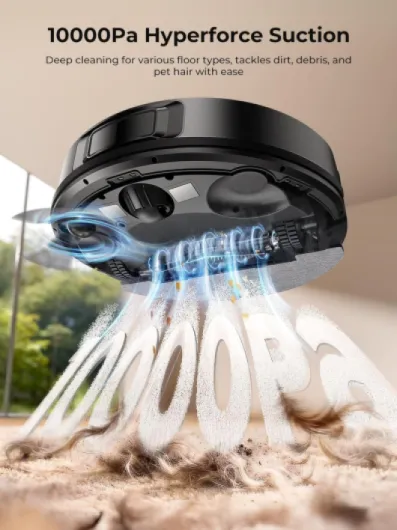
On the vacuuming side, this thing is strong. The 10000Pa number is marketing fluff to me, but in practice, on the higher suction levels it pulls up a lot of stuff from carpets. On my living room rug (low to medium pile), it lifted the pile and picked up embedded dog hair that my older cordless vac regularly missed. On hard floors, it grabs crumbs, litter, and dust in one pass most of the time. I usually leave it on the middle power setting for everyday runs and only switch to max for a deeper clean once or twice a week.
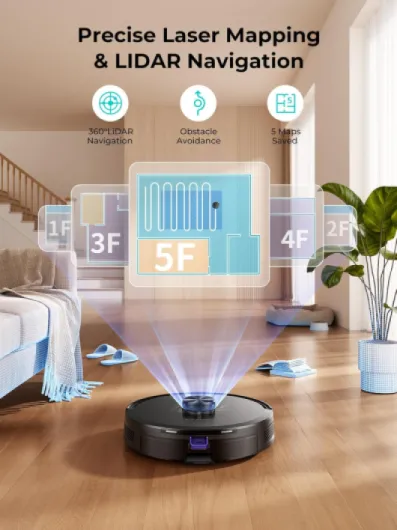
The mapping and navigation are a big improvement over the random-bump robots. The LiDAR mapping is fairly accurate: it creates a proper floorplan, and you can split it into rooms and name them. Once that’s done, you can tell it to just clean the kitchen or just do the hallway. It also supports no-go zones and virtual walls in the app, which is much better than messing around with physical magnetic strips. I set no-go zones around a shoe rack and the pet feeding area, and it respects them. It still occasionally nudges shoe laces or light objects, but nothing major.
For pet hair, it does well. With one dog and one cat, the dustbin in the robot fills up quickly, but because it empties into the base after each run, I don’t have to touch it often. The roller brush does collect hair and needs cleaning every week or two, depending on how hairy your pets are. That’s normal for any roller-based vacuum. On the positive side, it doesn’t choke on small bits like kibble or scattered litter. It pulls them up and the base sucks them into the main container when it empties.
It’s not perfect. It can still miss tiny corners or under very low furniture, and sometimes it will leave a small line of dust along the skirting boards if you don’t run an edge-cleaning pass. But running it regularly (I do it 3–4 times a week) keeps the whole place much cleaner than my old manual once-a-week hoovering did. For the price bracket, I’d call the overall cleaning performance pretty solid, especially on hard floors and low/medium-pile carpets.
What you actually get and how it fits into a normal home
Out of the box, the Q20 Ultra comes with the robot itself, the self-emptying base, power cable, a 2‑in‑1 dustbin and water tank, side brushes, a roller brush, mop holder, three mop cloths, extra HEPA filters, and the usual manuals. So you’re basically set for a few months without needing to buy anything extra. I like that it’s bagless at the base, so you’re not locked into buying proprietary bags all the time. You just pull out the container, dump it in the bin, rinse if you want, and put it back.
In terms of size, the base is not tiny. It’s roughly a small side table height, so you need a bit of wall space for it. I tucked it next to a sideboard in the living room and it looks fine, just a black tower with a little door. The robot itself is the usual low, round puck. It’s not the slimmest I’ve seen, but it still goes under most sofas and beds that aren’t super low. If your furniture is really low to the ground, it’ll just bump and move on.
Setup is straightforward: plug in the base, dock the robot, let it charge, then install the Honysmart app. It only works on 2.4 GHz Wi‑Fi, which is standard but still annoying if your router merges bands by default. Once connected, the robot does an initial mapping run using LiDAR. This first run is mostly it driving around the edges and main paths, and then it builds a map that you can split into rooms and label. It supports up to five maps, which is handy if you have multiple floors or a loft conversion.
From there, daily use is simple. I mostly use the app to start cleaning and choose which rooms to do. My partner prefers shouting at Alexa to start it in the kitchen. Both work fine once you’ve linked the accounts. Overall, in terms of how it fits into everyday life, it’s pretty painless once you’ve done the initial setup and a couple of test runs to tweak the map and no‑go zones.
Mopping, self-emptying, and how much work it really saves
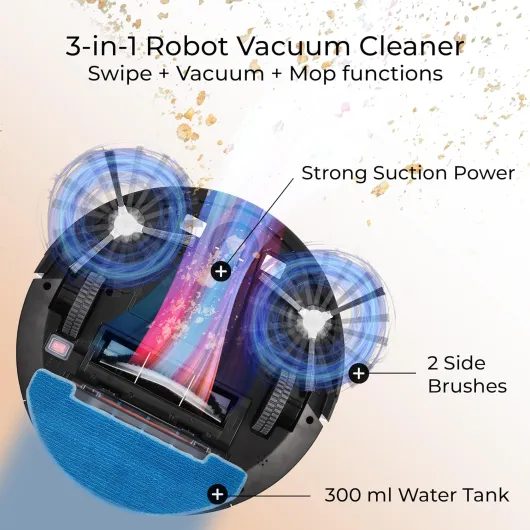
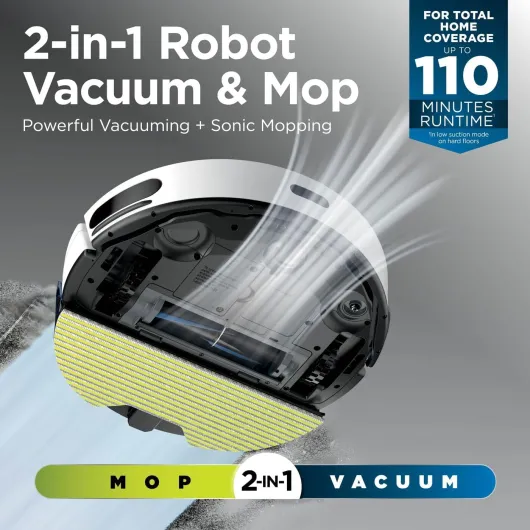
The mop function is decent for light daily cleaning but not some miracle that replaces a proper mop. It uses a 2‑in‑1 dustbin and water tank, so it vacuums and drags a damp cloth at the same time. You can adjust the water flow in the app. On tiles and laminate, it’s fine for footprints, light spills, and general grime. It leaves the floor looking fresher, but it won’t remove dried-on sauce or heavy grease in one pass. You still need to spot clean tough stains yourself.
One thing to keep in mind: if your floor is uneven or you have a lot of small dips, the mop can leave slight streaks. It’s not terrible, but you’ll notice it in certain light. Also, as the listing itself says, you really should remove the mop holder before sending it onto carpets or rugs, or you risk damp patches. There’s no smart carpet detection that lifts the mop; it’s manual. That’s a bit annoying if you have a mixed room (like a big rug in the living room with hard floor around it). You either babysit it, set no-go zones, or just skip mopping there and do it yourself occasionally.
The self-emptying is where this thing actually saves time. After each clean, it returns to the base, and the base sucks out the dust from the robot into a large reusable dust cup. With one dog and one cat, running it 3–4 times a week, I’ve been emptying that main container roughly every 4–6 weeks. That’s a big difference from emptying a tiny dustbin every single run. You do get a bit of dust puff when you open and dump it, but no more than a standard bagless vacuum.
Overall, in terms of effectiveness at reducing my chores: vacuuming has gone from a daily or every-other-day manual job to basically checking the robot once a week and doing some spot mopping when something serious spills. It doesn’t replace a deep clean day, but it keeps the place at a decent baseline with very little effort, which is what I wanted. If you’re buying it mainly for vacuuming, it’s worth it. If your main goal is heavy-duty mopping, I’d say it’s just okay and you might want to look for a dedicated mop robot or stick with a manual mop.
Pros
- Strong suction and effective pet hair pickup on hard floors and carpets
- Bagless self-emptying base reduces maintenance and ongoing costs
- LiDAR mapping with room selection, no-go zones, and reliable auto recharge/resume
Cons
- Mopping is basic and requires removing the mop holder before cleaning carpets
- Needs regular brush and filter maintenance, especially in homes with pets
Conclusion
Editor's rating
The Airzeen Q20 Ultra is a practical robot vacuum that actually reduces the amount of cleaning you do, instead of becoming a gadget that sits in a corner. The suction is strong, the LiDAR mapping works well enough for room-by-room cleaning, and the self-emptying base with a bagless dust cup is genuinely useful. For everyday vacuuming on hard floors and low to medium-pile carpets, it does a solid job, especially if you have pets and run it a few times a week.
It’s not flawless. The mopping function is okay for light dirt but not a full replacement for proper mopping, and you have to remember to remove the mop holder before sending it onto carpets or rugs. The app is functional but not fancy, and like most robots, it still needs some maintenance: cleaning the roller, swapping filters, and occasionally untangling cables it finds on the floor. If you expect a zero-maintenance cleaning robot, this isn’t it.
I’d recommend the Q20 Ultra if you want to cut down on vacuuming, have pets or kids, and like the idea of self-emptying without buying bags. It suits small to medium UK homes and flats quite well. If your main priority is premium mopping, or you live in a tiny place where a robot is overkill, you might be better off with a cheaper non-base robot or a good cordless vac and a manual mop. Overall, for the price bracket, it’s a pretty solid, no-nonsense option that actually gets used and keeps the floors in decent shape with minimal effort.