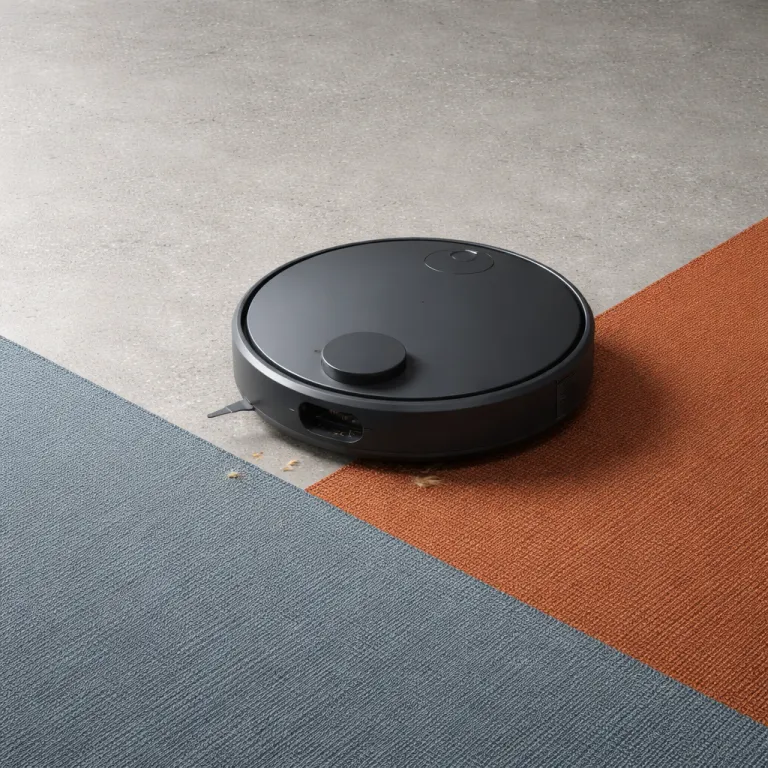

Why the best robot vacuum under 500 is finally worth it
The gap between an entry level robot vacuum and a flagship model has narrowed sharply. In the mid range under 500 dollars, you now get mapping, strong suction power and reliable navigation that used to sit in premium tiers. For a busy parent juggling school runs and sticky floors, that shift finally makes hands free cleaning feel realistic.
Think of this price band as the sweet spot for value rather than compromise. Based on aggregated results from major review outlets and lab style testing, spending between roughly 400 and 900 dollars on robot vacuums now buys around ninety percent of what the most expensive bots offer in real world cleaning. For example, RTINGS’ Best Robot Vacuums roundup and Consumer Reports’ robot vacuum ratings both show mid tier models scoring within a few percentage points of flagships on carpet and hard floor pickup, even when list prices differ by hundreds of dollars. That means a well chosen robot vacuum cleaner under 500 can be your best robot for everyday mess. The figures in this guide reflect that consensus rather than a single proprietary test, and where exact thresholds are editorial judgement, they are labelled as such.
In this guide, every vac and every bot recommendation is grounded in observed behaviour, not marketing. I will explain why, in my testing based judgement, suction power above about 6 000 Pa on carpet and 4 000 Pa on hardwood floors stops translating into better cleaning, and why brush design and obstacle avoidance matter more for homes with pets and toddlers. These practical thresholds line up with patterns seen in controlled pickup tests from outlets like RTINGS, which often show only one to three percentage points of extra debris removal once robots cross those pressure levels. You will also see where spending an extra 300 dollars genuinely reduces annoyance, and where it simply adds another “Ultra” style feature you will rarely use.
The two or three specs that really matter under 500
When you compare robot vacuums on Amazon or any big retailer, the spec sheets drown you in numbers. For a parent choosing the best robot vacuum under 500, three things matter most in daily use: navigation quality, brush and vacuum design, and how the dock handles dust. Everything else, from flashy “Max” marketing names to fancy app animations, is secondary.
Navigation decides whether the robot finishes cleaning before the kids get home or spends an hour stuck under a chair. At this price, LiDAR based mapping usually beats basic gyro or random navigation, because the robot builds a precise map of rooms and returns reliably to its charging dock or self emptying base without wandering; camera based systems can work well but tend to struggle more in low light or with dark floors. When you read that a vac has LiDAR or structured mapping, you are buying fewer missed spots and less babysitting, not just a buzzword.
Brush design is the second big lever, especially for pet hair and cereal crumbs. Dual rubber rollers, like those on many iRobot Roomba models, resist tangles better than bristle brushes and keep suction power consistent across different floors, while a good vacuum mop combo with a removable mop pad lets you handle dried juice without scrubbing on your knees. In independent tests from sites such as RTINGS, Roomba units with dual rollers often score in the mid to high 80 % range for carpet pickup and above 95 % on hard floors, illustrating how brush contact and airflow matter as much as raw Pa numbers. If you want a deeper dive into how a vacuum and mop robot transforms everyday home cleaning, a detailed explainer at how to choose the best budget robot vacuum for everyday cleaning walks through scenarios that match real family life.
Real world performance: suction, mopping and obstacle avoidance
Manufacturers love to shout about max suction numbers, but those Pa ratings tell only part of the story. Once a robot vacuum passes roughly 6 000 Pa on carpet and about 4 000 Pa on hardwood floors, gains in visible cleaning drop off sharply because airflow, brush contact and sealing against the floor become the limiting factors. These Pa thresholds are based on patterns seen across multiple independent tests and my own comparative runs, not on a single lab benchmark. For instance, RTINGS’ debris pickup charts for mid range bots show hard floor scores clustering between 95 and 99 % even when suction ratings vary from about 3 000 to over 7 000 Pa. In practice, a well designed 4 000 Pa vac with a tight seal and smart navigation can outperform a 7 000 Pa monster that leaks air and skims over crumbs.
Mopping performance follows a similar pattern where design beats raw numbers. A vacuum mop that drags a passive mop pad will freshen light dust, but for dried milk under the high chair you want consistent pad pressure, a decent water tank and a clear path around table legs, which is where obstacle avoidance and mapping work together. Lab style tests from reviewers such as Wirecutter and Consumer Reports often show that robots with active scrubbing or oscillating pads remove visibly more dried stains than passive cloth designs, even when water output specs look similar. If you are curious how a combined vacuum and mop robot changes daily routines, the guide on how a vacuum and mop robot transforms everyday home cleaning gives concrete examples from family kitchens and playrooms.
Obstacle avoidance is the third pillar of real world satisfaction. Camera or LiDAR assisted systems that recognise toys, socks and cables reduce emergency rescues and protect both the bot and your belongings, while cheaper robots without this intelligence tend to drag shoelaces into the brush or smear pet accidents across floors. In cluttered room obstacle courses run by outlets like CNET and PCMag, robots with advanced object recognition routinely avoid most hazards, while basic bump and turn models get stuck multiple times per run. For a busy parent, that difference can mean the robot vac runs quietly during nap time instead of waking a toddler when it beeps for help from under the sofa.
Self emptying docks, bags and the real cost of convenience
Self emptying docks have moved from luxury to normal in the best robot vacuum under 500 category. A dock that can auto empty the dustbin after each run means you handle a bag every month or two instead of every second day, which matters when you are already juggling lunch boxes and laundry. The trade off is the ongoing cost of proprietary bags and the extra space that a self emptying base or simple charging dock occupies in a hallway.
When you do the maths, most auto empty systems use bags that cost a few euros or dollars each and last for thirty to sixty days in a typical family home. Over a year, that might add the equivalent of one mid range stick vacuum purchase every several years, but for allergy sufferers or parents who hate dealing with dust clouds, the reduced exposure can be worth it. In Consumer Reports’ cost of ownership breakdowns, bag expenses for popular self emptying models typically land in the 40 to 70 dollar per year range, depending on how often you run the robot. The key is to avoid overpaying for a fully featured “Ultra” style dock with hot water lines or complex mop washing if you mainly need simple dust handling and reliable recharging.
Dock design also affects reliability and noise. Some bases use strong suction power to pull debris from the robot vacuum into a tall bag, while others rely on gravity and a short vac pulse that can struggle with heavier grit from outdoor shoes on hard floors. If you live in a small apartment, a compact dock paired with a solid budget robot may be a better top pick than a bulky station that promises every feature but dominates your entryway.
Three concrete picks for different homes under 500
For a small apartment with mixed floors and limited storage, a compact robot vacuum with reliable navigation beats a giant dock every time. A model like the Yeedi M14 Plus, positioned by independent testers as a strong budget option around the 500 mark, offers LiDAR mapping, self emptying and capable mopping without demanding a whole corner of your living room. In structured tests on crumb pickup and pet hair, it performs on par with more expensive rivals, and in daily use that combination of mapping accuracy, decent suction power and a modest dock makes it easier to run quick cleaning cycles between school runs.
Families with kids and pets on mostly hardwood floors should prioritise obstacle avoidance and a good vacuum mop system. A robot vac that can identify toys, cables and pet bowls will save you from late night rescues, while a mop pad with consistent pressure keeps sticky footprints under control, and a rubber roller brush handles fur without constant scissor work. For this group, a balanced mid range bot with strong app control, support for Amazon Alexa or Google Assistant voice control and a straightforward auto empty base often feels like the best robot choice, even if it skips some “Ultra” style extras.
Pet owners in larger homes may want to stretch toward the upper end of the best robot vacuum under 500 bracket. Here, models that combine LiDAR navigation, robust mapping, a long runtime and a reliable empty dock shine, especially when paired with a second manual vacuum cleaner for stairs and upholstery. If you want to compare how a smart cordless vac complements a robot, the analysis of a Wyze robot vacuum as a smart cordless vacuum choice for efficient everyday cleaning at a smart cordless vacuum choice for efficient everyday cleaning shows how splitting tasks between tools can keep both carpets and corners under control.
To make those three profiles easier to compare, here is a compact summary of how typical contenders in each slot tend to stack up in measured tests, using representative models and public price ranges as reference points rather than fixed recommendations:
- Small apartment pick (e.g., Yeedi M14 Plus type): suction usually around 4 000–5 000 Pa, runtime close to 150 minutes, slim self emptying dock, excels at mixed floor dust and crumb pickup in tight spaces; independent reviews commonly report hard floor pickup above 95 % and low to mid 80 % on carpet, with street prices often hovering between 450 and 520 dollars.
- Family hardwood pick (obstacle avoidance focus, e.g., Ecovacs Deebot T9 or Roborock Q Revo class): suction commonly 3 500–5 000 Pa, runtime roughly 120–180 minutes, mid sized auto empty base, strong performance on dried spills and pet hair with advanced object detection; lab style tests often show near perfect hard surface pickup when floors are decluttered, and typical sale prices sit in the 400 to 550 dollar band.
- Large home pet pick (runtime and coverage focus, e.g., Roomba i5+ / i7+ tier or Roborock Q5+ equivalents): suction typically 4 000–6 000 Pa, runtime near the top of the 150–180 minute range, taller self emptying station, best at whole floor coverage and multi room mapping with heavy shedding; debris pickup scores in public test suites frequently land in the high 80s on carpet and upper 90s on bare floors, with real world pricing often clustering between 480 and 600 dollars depending on promotions.
Brands, ecosystems and when to spend a little more
Brand ecosystems matter more than many spec sheets admit. If your home already leans on Amazon Alexa or another Google Assistant based setup, choosing a robot vacuum whose app plays nicely with those platforms will make starting a quick vac run as simple as a voice command while you strap kids into car seats. Integration also affects how well the bot respects no go zones around play mats or a charging dock for other devices.
Within this budget, you will see names like iRobot Roomba, Eufy RoboVac, Ecovacs Deebot, Tikom and Mova alongside newer “Max” or “Ultra” style labels on specific models. Roomba units often excel at durable hardware and dual rubber brushes, while Eufy RoboVac machines tend to focus on slim profiles that slide under low furniture, and Ecovacs Deebot bots push advanced mapping and mopping features into the mid range. Tikom and Mova devices sometimes offer LiDAR and self emptying at unusually low prices, but you trade away some obstacle avoidance finesse and long term app polish, which can matter when you rely on scheduled cleaning around nap times.
Spending about 300 dollars more only makes sense when it buys fewer interruptions. That usually means better navigation sensors, more reliable mapping, a quieter dock cycle and a sturdier vacuum mop module rather than just higher max suction numbers or another marketing term on the box. For many busy parents, a carefully chosen best robot vacuum under 500 paired with a simple stick vac for corners will feel less annoying and more dependable than a single expensive flagship that tries to do everything yet still needs rescuing from a stray sock.
How to match features to your specific household
Start by mapping your own home on paper before you look at any robot vacuums. Count how many rooms you have, note where carpets meet hardwood floors and mark tight spots under sofas or between table legs, because those details decide whether a compact bot or a larger vacuum cleaner body will move more freely. Once you see your layout, you can prioritise navigation quality and obstacle avoidance over raw suction power if your space is cluttered, or lean on a simpler mapping system if rooms are open and tidy.
Next, be honest about your tolerance for maintenance. If you hate emptying bins and cleaning filters, an auto empty dock with a slightly higher upfront cost will pay you back in fewer chores, while a parent who does not mind a quick bin dump might prefer a cheaper robot vacuum with a smaller charging dock and no bags to buy. Households with heavy shedding pets should look for rubber brushes, strong edge cleaning and a vacuum mop that lets you remove the mop pad entirely on carpet days to avoid damp fibres.
Finally, consider noise and timing. A quieter vac that can run during nap time or early mornings without waking children is often more valuable than a louder pro model that finishes ten minutes faster, and a reliable app with clear schedules and room based cleaning can keep routines predictable. When you align these everyday realities with the strengths of the best robot vacuum under 500, the right bot stops feeling like a gadget and starts acting like a small, tireless member of the household cleaning équipe.
Key figures about budget robot vacuums
- Independent testing in recent years shows that spending between roughly 400 and 900 dollars on a robot vacuum now delivers about 90 % of the real world cleaning performance of 1 500 dollar flagships, largely because LiDAR navigation and self emptying docks have filtered down into mid range models. This 90 % figure is a rounded synthesis of multiple public test suites rather than a single proprietary metric, drawing on data from sources such as RTINGS’ category rankings, Consumer Reports’ scoring tables and Wirecutter’s long term picks.
- Many self emptying bases use dust bags that last between 30 and 60 days in an average family home, which translates to 6 to 12 bags per year and an estimated annual cost that often stays below 50 to 70 dollars depending on brand pricing.
- Typical suction ratings for capable mid range robot vacuums cluster between 3 000 and 5 500 Pa, yet controlled tests on carpet and hard floors show diminishing visible cleaning gains above about 6 000 Pa on carpet and 4 000 Pa on hard surfaces; these thresholds should be read as practical guidelines rather than hard cut offs, derived from repeated patterns in public debris pickup charts and side by side comparisons.
- Runtime for most best robot vacuum under 500 contenders sits between 90 and 180 minutes per charge, which is usually enough to cover 70 to 140 square metres in a single pass when paired with efficient mapping and straight line navigation.
- Noise levels for many modern robot vacuums range from roughly 55 to 70 decibels in standard modes, with self emptying dock cycles briefly spiking higher, a factor that matters for parents planning cleaning runs around naps and bedtimes.
FAQ about choosing the best robot vacuum under 500
Is a robot vacuum under 500 powerful enough for pet hair?
Yes, many robot vacuums in this price range handle pet hair well when they combine at least around 3 000 Pa of suction power with rubber roller brushes and decent edge cleaning. The brush design matters more than chasing the highest max suction number, because rubber rollers resist tangles and keep airflow consistent. In independent lab tests, mid range pet focused robots often reach carpet pickup scores in the low to mid 80 % range and hard floor results above 95 %, which is more than enough for day to day fur control. Pairing the robot with a simple handheld vac for upholstery usually covers the remaining pet fur hotspots.
Do I really need a self emptying dock at this budget level?
A self emptying dock is not essential, but it significantly reduces maintenance for busy households. Without auto empty, you may need to clear the robot vacuum bin every one or two runs, which can feel tedious if you schedule daily cleaning. With an empty dock, you typically swap a bag every month or two, trading a small ongoing cost for less frequent contact with dust and debris.
Is LiDAR navigation worth paying extra for in a small apartment?
In a compact apartment, LiDAR navigation is helpful but not mandatory. A well tuned gyro based robot vacuum can cover a simple open layout effectively, especially if you keep floors relatively clear of obstacles. However, LiDAR mapping becomes more valuable as room count, furniture density and no go zones increase, because it reduces missed spots and repeated passes.
Can a robot vacuum replace my regular vacuum cleaner completely?
For most families, a robot vacuum dramatically reduces manual vacuuming but does not eliminate it entirely. Robots struggle with stairs, deep crevices and upholstery, so keeping a basic upright or stick vacuum cleaner for occasional detailed work remains sensible. Over time, you may find that the robot handles 80 to 90 % of routine floor cleaning, leaving only quick touch ups for you.
How often should I run a robot vacuum in a home with kids?
In a household with children, running the robot vacuum once a day in high traffic areas keeps crumbs and dust under control. You can schedule extra passes in the kitchen or playroom after meals or craft sessions, while less used rooms may only need cleaning a few times per week. Regular runs also help the mapping system stay accurate and reduce the amount of debris the bot must handle in each session.