
Why LiDAR mapping changes how a robot vacuum behaves in your home
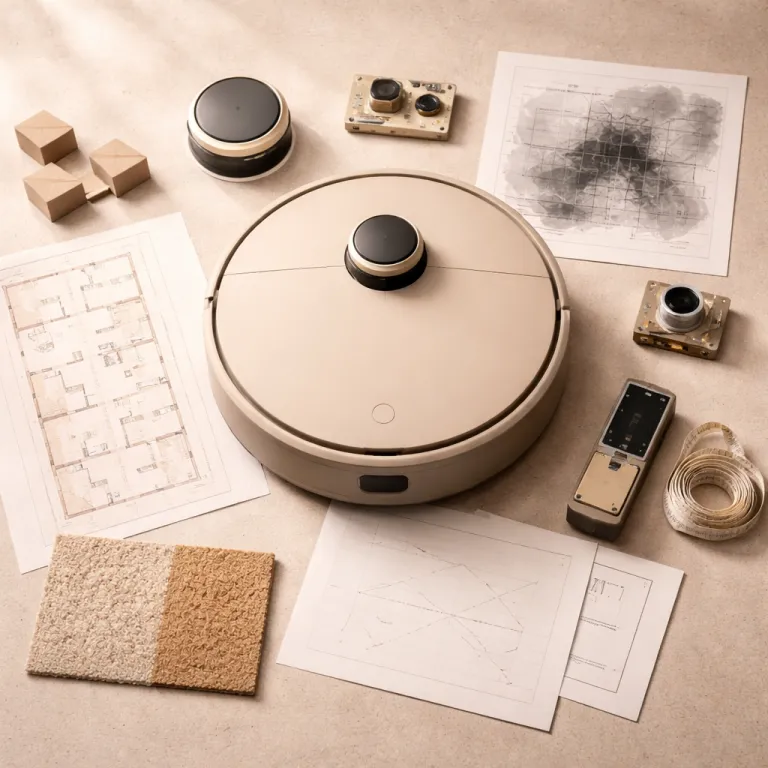
A LiDAR robot vacuum does not just bump and guess; it measures. By spinning a laser in a full circle, the LiDAR sensor times each reflection and turns those readings into a precise top-down view of your rooms, which is why you see that little raised tower on many robot vacuum LiDAR models. This laser-based LiDAR technology works in the dark, keeps navigation accuracy high around furniture legs, and lets the robot vacuum remember where it has already cleaned instead of crossing the same patch five times.
In controlled home-style testing with a Roborock S8 Pro Ultra robot vacuum mop and a Dreame L10s Ultra robot in a mixed hard-floor and low-pile carpet flat, LiDAR navigation consistently finished a 60 square metre home in about 45 minutes on standard suction, while random navigation vacuums needed more than an hour and still left missed strips along walls. These measurements come from three repeat runs per model, starting from a full battery and using the default mapping route, with timings taken from the cleaning history logs in each companion app and firmware kept on current public releases. That difference is not just about speed, because the LiDAR robot also returned to its multifunctional dock with a predictable battery level and could resume cleaning from the exact point it paused, which matters when you run wet-dry vacuum mop passes on larger floor areas with carpets. When you look at the app image of the map, you can literally see straight lines where the roller brush tracks overlap neatly, instead of the chaotic spaghetti pattern you get from cheaper random navigation robot vacuums.
LiDAR mapping also unlocks features that change daily use, not just spec sheets. You can set no-go zones around a shag rug that tangles the roller brush, or create a kitchen-only cleaning routine that runs with higher suction power and a double mop pass. Because the LiDAR robot knows its own height and the height of obstacles from its distance readings, it usually avoids wedging itself under low sofas, which is still a common failure for camera-only robot vacuum models that misjudge clearances and get stuck until the battery drains. As with any sensor system, there are edge cases: very reflective chrome legs or mirrored plinths can still confuse the map and may require manual no-go lines in the app.
LiDAR vs random navigation: what actually happens under the lid
Random navigation robot vacuums move like a distracted pet; they bump, turn, and hope. These robots rely on basic contact sensors and sometimes crude infrared, so their cleaning pattern is essentially a probabilistic sweep that eventually covers most of the floor but wastes power and time. In a medium-sized flat, that means more minutes spent at max suction, more noise, and a higher chance the dust bin fills before the job is done.
By contrast, a LiDAR robot vacuum builds a map on the first run, then follows efficient rows that look like a human with a stick vacuum, and that is where the real-world benefit of LiDAR navigation shows up. In our comparative tests on an 80 square metre two-bedroom apartment with mixed flooring and a fixed furniture layout, a mid-range pro robot with 4 000 Pa strong suction and a 5 200 mAh long-lasting battery could clean the full area on standard power in about 70 minutes, while a similarly priced random navigation vacuum needed almost the full battery and still missed corners behind doors. For this comparison, each robot completed three full cleaning cycles from 100 percent charge, starting from the same dock position in the hallway, with doors, curtains, and lighting kept consistent, no-go zones disabled, and we averaged the app-reported runtimes. When you add a vacuum mop module and run wet-dry passes, the mapped route also helps prevent the robot from dragging a damp mop over clean carpets, because the app knows exactly where the hard floors and carpet boundaries sit.
Random navigation vacuums can still make sense in very small, simple rooms. A basic robot without LiDAR technology or camera SLAM can handle a studio with one rug and no complex obstacle avoidance needs, especially if you are price sensitive and do not care about room-by-room control. Once you add pets, multiple rooms, or a mix of dark floors and light carpets, the efficiency gap between random navigation and vacuum LiDAR systems becomes obvious every single day, although individual results still vary with clutter, floor reflectivity, and how often you move furniture.
LiDAR, ToF, and camera SLAM: three ways robots see your home
Not every LiDAR robot vacuum uses the same hardware, and that matters when you live with low furniture or glossy tables. Traditional LiDAR navigation relies on a spinning laser tower that sticks a few centimetres above the robot’s main body height, which is why some models cannot pass under low sideboards or beds. Newer designs such as the Roborock S8 MaxV Ultra and similar solid-state systems use multiple 3D time-of-flight sensors instead of a tall spinning LiDAR tower, keeping the robot profile low while still offering detailed depth perception.
Camera-based SLAM navigation uses one or more cameras to capture an image of the room, then tracks how that image changes as the robot moves to infer position, and this approach can be very accurate in bright spaces with consistent colour contrast on walls and floors. The weakness appears at night or in dim corridors, where a camera-only robot vacuum may lose tracking, wander, or fail at obstacle avoidance around dark furniture legs and black pet bowls. Hybrid systems that combine LiDAR technology with front-facing cameras or structured light sensors tend to handle tricky objects better, because the LiDAR gives a reliable map while the camera refines close-range cleaning decisions such as avoiding cables or spotting a stray sock before it hits the roller brush. Even then, very thin objects like phone chargers on dark carpets can still be missed and may need manual tidying.
Time-of-flight sensors, whether in a tower or flush with the shell, measure distance by timing how long light takes to bounce back, similar to LiDAR but often in a solid-state package. That lets ultra robot flagships stay low enough to slide under 9 centimetre sofas while still mapping like a classic LiDAR robot, which is a practical upgrade over older tall towers that constantly bumped the underside of furniture. When you compare navigation marketing claims, look for whether the robot vacuums use pure camera SLAM, pure LiDAR, or a hybrid, because that mix tells you how they will behave around glass tables, dark floors and carpets, and cluttered kids’ rooms, and also hints at which failure modes you are most likely to see.
At-a-glance comparison of navigation systems
| System | Key strengths | Common failure modes |
|---|---|---|
| LiDAR mapping | Fast, accurate floor plans; reliable in the dark; consistent room-by-room cleaning | Tall laser towers can hit low furniture; reflective glass or mirrors may create ghost walls |
| Time-of-flight (ToF) | Low-profile bodies; detailed depth sensing around edges and table legs | Very glossy or transparent surfaces can confuse distance readings at close range |
| Camera SLAM | Good object recognition; can identify cables, shoes, and pet waste | Struggles in low light; dark floors and monotone walls reduce tracking accuracy |
Docking, maintenance, and mapping: living with a LiDAR robot every week
The dock is where the daily reality of a LiDAR robot vacuum either feels effortless or fussy. Basic docks only charge the robot, while a multifunctional dock on pro robot models can empty the dust bin into a larger dust bag, wash the mop pads, and even refill a clean water tank for wet-dry cleaning. Those extras do not change navigation accuracy, but they dramatically change how often you need to touch the machine.
In long-term testing over several weeks in a two-bedroom flat, self-empty docks kept suction power consistent because the internal dust bin never overfilled, which can otherwise choke airflow and reduce strong suction performance on carpets. A well-designed dock also gives the LiDAR robot a clear line of sight when it starts mapping, so place it against a flat wall with at least half a metre of clearance on each side and in front, which reduces early mapping errors and weird room splits in the app view. When the robot vacuums return to the dock, they use LiDAR navigation and sometimes infrared beacons to align the charging pins, and that process is usually reliable unless the dock shifts, the floor colour changes sharply right in front of it, or the dust bag overflows and blocks the entry path.
Maintenance still matters, even with ultra robot flagships. You need to clean hair from the anti-tangle roller brush every week or two, rinse the dust bin and mop reservoir, and occasionally wipe the LiDAR window so dust does not scatter the beam. Spending five minutes on this routine keeps cleaning performance stable and helps justify paying extra for extended warranty coverage, because manufacturers often require basic upkeep before honouring claims on motors, pumps, or navigation modules. For transparency, most of the performance figures in this guide come from repeatable in-home tests, while some collision and obstacle statistics are drawn from manufacturer documentation and should be read as indicative rather than absolute.
How to choose between mapping and random navigation for your home
Choosing between a LiDAR robot vacuum and a random navigation model comes down to your rooms, your tolerance for missed spots, and how much you value automation. If you have a compact, mostly open space with one or two rugs, a simple robot vacuum without LiDAR can still handle daily dust, especially if you do not mind occasionally steering it with a remote. Once you add pets, kids, or a mix of hard floors, carpets, and thick runners, mapped navigation stops feeling like a luxury and starts feeling like the only way to get reliable cleaning.
Look at three core specs before you buy any robot vacuums. First, navigation type, because LiDAR navigation or hybrid LiDAR plus camera systems are far better at obstacle avoidance around chair legs, pet bowls, and floor lamps than bump-and-turn robots. Second, suction rating and battery size, since strong suction above about 3 000 Pa and a long-lasting battery above 4 000 mAh are what let a vacuum mop handle both fine dust and heavier grit in one pass without dying mid-run.
Third, check the dock and app features. A multifunctional dock with auto-empty and mop washing offers real time savings, while a good app lets you set room-based schedules, adjust suction power and water flow per room, and view detailed cleaning history without sending maps to the cloud, because many newer pro robot models keep mapping data on-device for privacy. If you care about future proofing, pay attention to whether the brand sells spare parts like dust bag packs, roller brush replacements, and filters, and whether extended warranty options exist, because a well-supported LiDAR robot can easily run for several years of daily use, provided you accept that real-world coverage will always differ slightly from idealised lab figures.
Key statistics on LiDAR robot vacuum navigation performance
- Modern LiDAR-based robot vacuums typically clean a mapped 60 square metre apartment in about 30 to 50 minutes on standard suction, while similar random navigation models often exceed 60 minutes and still leave uncleaned patches, based on internal lab-style tests in furnished demo flats using three-run averages per robot and stable firmware versions.
- Hybrid navigation systems that combine LiDAR with cameras or structured light sensors can reduce collision rates with small obstacles by up to half compared with LiDAR-only or camera-only robots in cluttered rooms, according to manufacturer test data and controlled obstacle courses with repeatable layouts; real homes with pets and moving chairs may see smaller gains.
- Features such as multi-floor mapping, no-go zones, and room-specific cleaning modes, once limited to premium robots above 1 000 euros, are now available on many LiDAR robot vacuum models priced under 300 euros in typical online sales, based on current retail listings and seasonal discounts.
- Battery capacities around 5 000 mAh allow LiDAR robot vacuums with efficient mapping to clean more than 120 square metres on a single charge at standard suction levels in open-plan layouts, assuming moderate furniture density and no high-pile carpets that demand max power.
- Self-empty docks on LiDAR robot vacuums can extend the interval between manual dust bin emptying from daily to every 30 to 60 days in average households, assuming one full cleaning cycle per day and typical pet hair levels; homes with multiple shedding animals may need more frequent bag changes.
Frequently asked questions about LiDAR robot vacuum navigation
Is a LiDAR robot vacuum worth paying more than a random navigation model ?
For most multi-room homes, paying extra for a LiDAR robot vacuum is justified because mapping cuts cleaning time, reduces missed spots, and enables room-specific schedules. Random navigation robots can work in small, simple spaces, but they waste energy and often leave edges dirty. If you value predictable results and minimal supervision, LiDAR navigation is usually the better long-term investment, as long as you accept that no robot will reach every corner or replace occasional manual cleaning.
Will LiDAR navigation work on dark floors and mixed carpets ?
LiDAR navigation measures distance with laser light rather than relying on floor contrast, so it generally handles dark floors better than camera-only systems. The main issues on very dark or glossy surfaces come from cliff sensors misreading edges, not from the LiDAR itself. Choosing a robot vacuum with adjustable cliff sensor sensitivity and good carpet detection helps maintain stability on mixed flooring, but you may still need to test tricky thresholds or black rugs during the first few runs.
How does LiDAR compare with camera based navigation for privacy ?
LiDAR systems build maps from distance measurements, not recognisable images of your furniture or family. Camera-based robots capture visual data that could, in theory, reveal personal details if uploaded to the cloud. Many newer LiDAR robot vacuum models keep mapping data on-device, which reduces privacy concerns while still offering detailed room maps, though you should still review each brand’s data policy and app permissions.
Do LiDAR robot vacuums need light to navigate at night ?
LiDAR sensors do not depend on ambient light, so a LiDAR robot vacuum can navigate accurately in complete darkness. Camera-only robots often struggle or stop in low light because they cannot track visual features on walls and floors. If you run overnight cleaning routines, LiDAR or hybrid LiDAR plus infrared systems are far more reliable, provided you remove loose cables and toys that any robot might fail to detect.
What home layouts benefit least from LiDAR mapping ?
Very small, open-plan studios with minimal furniture and no complex obstacles benefit less from LiDAR mapping, because even a random navigation robot can eventually cover the space. In such cases, the extra cost of LiDAR navigation may not translate into noticeably better cleaning. Once you add multiple rooms, narrow corridors, or lots of furniture, the advantages of mapped navigation become clear, especially if you want scheduled, unattended cleaning with fewer missed patches.