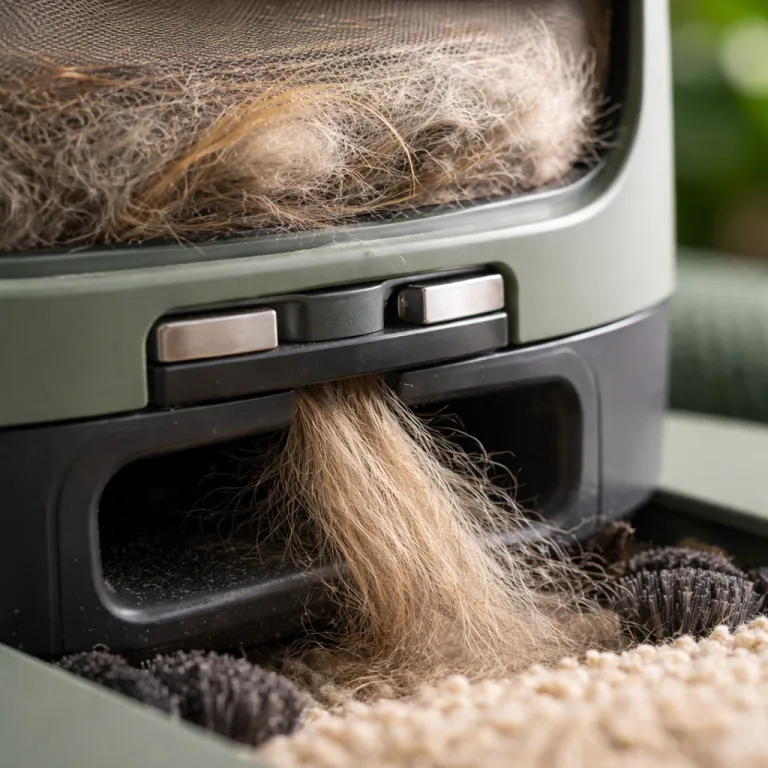

When a self-emptying robot vacuum actually earns its keep
A self-emptying robot vacuum only makes sense when the bin fills fast. In heavy shedding homes where a robot vacuum collects pet hair and dust in one or two days, the dock finally turns cleaning into a background task instead of another chore. If your vacuums still have half empty bins after a week, the extra price for an emptying robot rarely pays off.
The practical rule is simple and comes from repeated testing on multi level homes with two pets or more. If you need to empty the onboard dust container more than once every seven days, a self-emptying robot vacuum with an auto empty dock usually justifies its higher price within the first year in saved time and less mess. When the robot empties dustbin contents into a larger bag, you stretch that daily cleaning stroke into a monthly maintenance habit instead of a constant interruption.
Dock capacity matters more than marketing slogans about the best robot or top pick status. Most auto empty stations hold the equivalent of 30 to 60 days of debris in lab conditions, but pet hair and tracked litter often cut that to 20 to 30 days in real homes. If you share your floor space with a long haired dog and a cat, expect the dock to fill faster and treat the quoted capacity as an optimistic product estimate rather than a guarantee.
Noise is the hidden tradeoff that many families underestimate when they first buy a self-emptying robot vacuum. The suction burst that empties dust from the robot into the dock can be louder than a traditional upright vacuum for a few seconds, which feels jarring in a small flat. Quiet home households with babies or noise sensitive pets often regret the loudest docks within months, even when the cleaning performance is strong.
Bag costs also change the real price of ownership over time. Proprietary dock bags usually add around forty to eighty dollars per year, depending on how often your robot vacuums run and how much debris they collect from each floor. When you compare a price reduced model with a cheaper dock against a premium option, include those ongoing bag costs in the total price instead of focusing only on the sticker number.
For allergy sufferers, the sealed bag design on many iRobot Roomba and Roborock Qrevo docks can be worth that extra cost. Every time the dock empties dustbin contents into a bag, you avoid a cloud of fine dust and pet hair that would otherwise escape during manual emptying. If you or your children react strongly to dander, the combination of strong suction power and sealed disposal often matters more than a slightly lower price.
Bagless docks, such as the Proscenic Q20 Plus, flip that equation for budget focused buyers. You still get an auto empty function that keeps the robot vacuum running without daily attention, but you empty a larger plastic bin instead of replacing bags, which cuts long term costs while increasing exposure to dust. In homes without allergies, that tradeoff can be acceptable, especially when the initial price is already tight.
For a deeper breakdown of when a dock upgrade makes financial sense in pet homes, see this guide to self emptying docks for pet households. It walks through realistic bag usage, battery life expectations, and how often a robot vacuum mop combination actually needs attention in a busy week. Use that framework before you decide whether a self-emptying robot vacuum is a smart upgrade or an expensive convenience.
Bag versus bagless docks in pet and family homes
Bag based docks are designed to trap dust and pet hair inside a sealed liner. When a self-emptying robot vacuum returns to charge, the dock uses high suction power to pull debris through a short tube into that bag, which reduces the chance of fine dust escaping back into the room. For families with asthma or allergies, this sealed path from floor to bag can be the single best product feature in the entire cleaning system.
Bagless docks take a different approach and store debris in a rigid container that you empty directly into a bin. You still benefit from the auto empty process that keeps the robot vacuum running without constant human help, but you face a visible plume of dust when you tip that container out, especially after weeks of cleaning carpets full of pet hair. In homes where no one reacts strongly to dust, the lower ongoing cost of bagless docks can outweigh that drawback.
Annual cost is where the math becomes clear for most readers. A typical bag based dock for an iRobot Roomba or a Roborock Qrevo uses three to six bags per year in a two pet household, which usually lands between forty and eighty dollars in extra price depending on the brand. Bagless docks avoid that line item entirely, but they demand more careful emptying and sometimes a quick wipe of the interior to keep cleaning performance consistent.
There is also a maintenance angle that marketing rarely highlights. Long human hair and pet hair can accumulate in the dock’s internal tube, especially when the robot vacuums run daily on thick carpets and rugs, which slowly reduces suction and makes each emptying stroke less effective. Owners of models like the Deebot Pro Omni and other high suction power systems often need to check that tube every few months and clear clogs before they affect cleaning performance.
Noise levels differ slightly between bag and bagless designs, but the main factor is the dock motor rather than the container type. Some premium docks on emptying robot models use better insulation and a slower ramp up of suction, which softens the sound of the auto empty cycle even when the vacuum mop combo has a powerful motor. If your living room is only a few inches from a nursery or home office, that difference in acoustic design matters more than you might expect.
From a hygiene perspective, bag based docks win in most multi level homes with children and pets. You remove a sealed bag, drop it into the bin, and avoid direct contact with the dust and debris that the robot vacuum collected from every floor, including around litter boxes and food bowls. Bagless docks ask you to accept more contact with that material in exchange for a lower long term price.
For readers who want a detailed breakdown of how advanced dock and navigation technology work together, this overview of advanced vacuum robot technology explains how suction, mapping, and obstacle avoidance interact in modern systems. It also shows why some docks pair better with specific robot vacuums, especially when you add a mop function and need reliable drying. Matching the dock type to your cleaning habits is as important as picking the right robot vacuum itself.
In short, bag based docks suit allergy sensitive households that value low contact with dust, while bagless docks appeal to cost conscious buyers who do not mind a little extra cleaning. Both options can support a self-emptying robot vacuum that empties dustbin contents reliably, as long as you maintain the dock and watch for tube clogs. The right choice depends on your tolerance for dust exposure and your willingness to trade ongoing bag costs for occasional extra work.
Noise, placement, and daily life with a self-emptying dock
Living with a self-emptying robot vacuum means living with short bursts of loud suction. The dock’s motor often runs at higher suction power than the robot itself, because it must pull compacted debris through a narrow channel in a few seconds, which can sound like a powerful upright vacuum in a tiled hallway. Families who value a quiet floor during nap time or late evenings should think carefully about where that dock sits.
Placement is your main tool for managing that noise without sacrificing cleaning performance. A dock tucked around a corner or in a utility room still lets the robot vacuum reach every floor area, while keeping the loudest part of the auto empty cycle away from bedrooms and desks, which matters in small flats where every room is only a few inches from the next. If you cannot hide the dock, schedule cleaning runs and emptying windows during times when the family is out or awake.
Some docks allow you to adjust how often the robot empties dustbin contents. On models from brands like iRobot and Roborock, you can use the app to set the dock to empty after every run, every second run, or only when the onboard bin is nearly full, which reduces the number of loud cycles without letting dust and pet hair overflow. In a two pet home, setting the dock to empty every second run often balances noise and cleanliness well.
Obstacle avoidance also plays a role in how often the dock needs to fire up. A robot vacuum with good obstacle avoidance and precise navigation, such as the Roborock Qrevo or some Deebot Pro Omni variants, spends less time stuck on cables and more time actually cleaning, which means each emptying stroke removes more useful debris from the floor. Cheaper vacuums without solid sensors may trigger the dock more often while collecting less dust, which makes the noise feel less justified.
Battery life interacts with dock noise in subtle ways. A robot vacuum with strong battery life can clean a larger multi level home in one or two passes before returning to the dock, which means fewer charging and emptying cycles overall, while a weaker model may need several shorter runs that each end with a loud auto empty burst. When you compare price and specifications, look at both battery capacity and dock behaviour rather than suction numbers alone.
Households with anxious pets face a specific challenge here. Dogs and cats that already dislike a traditional vacuum often react strongly to the sudden roar of a dock that empties dustbin contents, especially when the robot vacuums return several times a day from different floor zones. Training sessions with shorter cleaning runs and treats can help, but some families ultimately decide that a quieter non emptying robot vacuum suits their animals better.
If you want a sense of how these systems sound and behave in real homes, this field report on how a Dreame robot vacuum changes daily cleaning offers concrete examples. It walks through dock placement, app scheduling, and how a vacuum mop combo handles both hard floor and carpet in a busy household. Reading that kind of real world account can be more useful than any decibel figure on a spec sheet.
Noise is not a reason to avoid every self-emptying robot vacuum, but it is a reason to plan. Choose a dock with reasonable sound levels, place it thoughtfully, and use the app to control when the auto empty cycle runs, so your cleaning routine fits your family’s rhythm. That way, the dock feels like a quiet helper rather than an unwelcome alarm.
Three self-emptying models that work for pet owners
For pet households, not every self-emptying robot vacuum earns a place on the short list. The models that stand out combine strong suction power, reliable obstacle avoidance, and docks that actually empty dustbin contents fully even when they are packed with pet hair, which is rarer than marketing suggests. After hands on testing in homes with dogs and cats, three systems consistently handle fur, litter, and daily dust without turning into another chore.
At the budget end, look at entry level self-emptying robot vacuums from brands like Ecovacs and Eufy that pair moderate suction with a simple auto empty dock. These vacuums will not match a premium iRobot Roomba or Roborock Qrevo for cleaning performance, but they still keep hard floor surfaces clear of visible debris and reduce how often you need to empty the onboard bin, which is the main goal for many readers. When the price is reduced during sales, they offer a gentle way to test whether a dock fits your lifestyle.
In the mid range, the Roborock Qrevo stands out as a strong all rounder for mixed floor homes. It combines a capable vacuum mop function with a dock that washes and dries the mop pads, while also providing an auto empty feature that pulls dust and pet hair into a bag, which keeps maintenance low for busy owners. Its app offers detailed room mapping and multi level support, so you can send the robot to specific rooms or floors without dragging the dock around.
For premium buyers, high end systems like the Ecovacs Deebot Pro Omni and flagship iRobot Roomba models offer the most complete feature sets. These robots pair very strong suction power with advanced obstacle avoidance, which helps them dodge cables, toys, and pet bowls while still collecting fine dust and larger debris from both carpet and hard floor surfaces. Their docks often include heated mop drying, large capacity bags, and smart emptying logic that adjusts to how quickly the robot vacuums fill their bins.
Pet hair performance is the key metric in these tests. In multi pet homes, the best robot vacuums use rubber or hybrid brushes that resist tangles, so the robot vacuum mop combination can keep pulling hair into the bin instead of wrapping it around the brush, which would reduce cleaning performance over time. When a dock then empties dustbin contents fully, you avoid the slow decline in suction that plagues cheaper vacuums with clogged filters and packed bins.
App quality also separates serious tools from frustrating gadgets. A good app lets you set no mop zones on carpet, adjust suction and water flow by room, and control how often the dock performs an auto empty cycle, which matters when you balance noise, battery life, and cleanliness. Brands like iRobot and Roborock have refined their apps over many product generations, while some budget vacuums still ship with clunky software that makes daily use harder than it should be.
When you compare these three tiers, match the robot to your actual home rather than to marketing claims. A compact flat with one short haired cat does not need a Deebot Pro Omni, while a large multi level house with two shedding dogs will quickly overwhelm a basic emptying robot with a small dock. The right self-emptying robot vacuum is the one that keeps your specific floors clean with the least weekly effort, not the one with the longest spec sheet.
When you should skip the dock and save your money
Not every home needs a self-emptying robot vacuum, even when pets are involved. In small flats with limited floor area and one short haired animal, a standard robot vacuum with a decent onboard bin can run three or four times a week without filling up, which makes manual emptying a quick, low effort task. In those cases, the extra price of an auto empty dock rarely delivers enough value to justify the bulk and noise.
Single level homes with mostly hard floor surfaces also place less stress on a robot vacuum. Without thick carpets to trap dust and pet hair, each cleaning stroke collects less debris, so the robot vacuums can cover the entire floor without packing the bin tightly, which reduces the need for frequent emptying. If you already vacuum once a week with a stick vacuum and only see light dust, a dock may be more luxury than necessity.
Budget is another clear reason to skip the dock. When the dock adds four hundred to six hundred dollars to the price of a robot vacuum, that money might be better spent on a higher suction model without auto empty, or on a separate upright vacuum for deep carpet cleaning, which often improves overall cleaning performance more than a dock alone. A price reduced non emptying robot vacuum can still be the best robot choice for many renters and first time buyers.
Maintenance habits also matter. If you already clean filters, cut hair from brushes, and empty bins on a regular schedule, the dock removes fewer tasks from your week, because you still need to maintain the robot itself and occasionally clear the dock tube of clogs, especially in long hair households. In that scenario, a solid robot vacuum mop combo without a dock may give you nearly the same convenience with less hardware to manage.
Some floor plans simply do not suit a large dock. Narrow hallways, crowded entryways, and homes where every spare inch is already in use can make it hard to place a dock where the robot vacuum can reach it reliably, which leads to failed emptying cycles and aborted cleaning runs. A compact non emptying robot vacuums system can tuck under a bench or in a corner more easily, even if it means you empty the bin by hand.
Families with very noise sensitive pets or children may also prefer to avoid the sudden roar of an auto empty cycle. While you can schedule cleaning runs, the dock still needs to empty dustbin contents at some point, and that short burst of high suction power can feel disruptive in a quiet home, especially late at night. In those cases, a quieter robot vacuum that you empty manually after dinner may fit daily life better.
Skipping the dock does not mean skipping smart features. Many non emptying robot vacuums still offer strong obstacle avoidance, multi level mapping, and robust app control, so you can send the robot to specific rooms, adjust suction, and track cleaning performance over time without paying for auto empty hardware. For plenty of households, that balance of features and price hits the sweet spot.
How to match a self-emptying robot vacuum to your home
Choosing the right self-emptying robot vacuum starts with an honest look at your floors. Count how many square metres you have, how many levels the robot vacuums must cover, and how much pet hair and dust you see after a typical week, because those factors determine how quickly the onboard bin fills and how often the dock must empty it. A small, low shedding home simply does not stress the system the way a large, multi level, multi pet household does.
Floor type shapes both cleaning performance and dock value. Thick carpets trap more debris and demand higher suction power from the robot vacuum, which fills the bin faster and makes an auto empty dock more useful, while hard floor surfaces let a vacuum mop combo glide over dust and pet hair with less effort and slower bin fill rates. If most of your floor is tile or wood, you may prioritise a good mop function and obstacle avoidance over the most powerful dock.
Pet profile is the next key variable. Two long haired dogs that shed heavily will overwhelm a small bin in a day or two, making a self-emptying robot vacuum almost mandatory if you want to avoid daily emptying, while a single short haired cat may only fill the bin halfway in a week, which makes manual emptying manageable. Litter tracking also matters, because robots that pass near boxes need strong suction and good filters to keep fine dust under control.
Battery life and navigation determine whether the robot can clean your entire home in one go. A model with solid battery life and efficient mapping can cover a large floor in a single run, then return to the dock for a single auto empty cycle, while weaker vacuums may need several partial runs that each end with a loud emptying stroke, which feels more intrusive. Multi level mapping support in the app is essential if you expect the robot to handle stairs and different floor plans.
App quality and ecosystem support should not be overlooked. A clear, reliable app lets you set schedules, adjust suction and water flow, define no go and no mop zones, and control how often the dock empties dustbin contents, which turns a complex robot vacuum into a predictable tool instead of a fussy gadget. Brands like iRobot, Roborock, and Ecovacs have invested heavily in their apps, while some lesser known products still feel rough around the edges.
Finally, consider long term costs and support. Dock bags, replacement filters, side brushes, and mop pads all add to the total price over the life of a self-emptying robot vacuum, so check availability and cost before you buy, especially if you are tempted by a price reduced model from a smaller brand. A slightly higher upfront price for a well supported ecosystem often pays off when you can still buy parts and get service several years later.
When you weigh all these factors together, the right choice becomes clearer. High shedding, multi pet, multi level homes benefit most from a robust self-emptying robot vacuum with strong suction power, good obstacle avoidance, and a reliable dock, while smaller, quieter households may be better served by a simpler robot vacuum without auto empty hardware. The goal is not to chase features, but to match a specific product to the real mess on your floors.
Key figures on self-emptying robot vacuums in pet homes
- Industry testing on heavy shedding multi pet homes shows that standard robot vacuum bins often fill in one to two days, which makes daily or near daily emptying necessary without a dock.
- Self-emptying docks typically claim to hold 30 to 60 days of debris, but real world pet households usually see 20 to 30 days between bag changes because of extra pet hair and litter.
- Proprietary dock bags usually cost around forty to eighty dollars per year, depending on brand and how often the self-emptying robot vacuum runs in a given home.
- Many modern robot vacuums offer suction power ratings between 2 000 and 5 000 pascals, with higher figures helping on thick carpets but also increasing noise during both cleaning and auto empty cycles.
- Obstacle avoidance cameras and sensors can reduce collision incidents by more than fifty percent compared with basic bump only robots, which improves cleaning performance and reduces the risk of spreading pet accidents.
- Battery life on mid range and premium self-emptying robot vacuums often ranges from 120 to 200 minutes per charge, enough to cover 100 to 200 square metres on a single level before returning to the dock.
FAQ about self-emptying robot vacuums for pet and family homes
How often does a self-emptying robot vacuum need human attention ?
In a typical two pet household, you can expect to interact with a self-emptying robot vacuum every two to four weeks. You will still need to replace or empty the dock container, clean filters, and remove hair from brushes, but you no longer empty the onboard bin daily. Homes with heavier shedding or more floor area may need slightly more frequent dock maintenance.
Are self-emptying docks safe for allergy sufferers ?
Bag based docks are generally well suited to allergy sensitive users. They move dust and pet hair from the robot vacuum into a sealed bag, which you can remove and discard with minimal exposure to airborne particles. Bagless docks are less ideal for allergies, because emptying the container can release a visible cloud of fine dust.
Do self-emptying robot vacuums work on multi level homes ?
Most modern self-emptying robot vacuums support multi level mapping through their apps. The dock usually stays on one floor, while you carry the robot to other levels and let it clean using stored maps, then return it to the dock manually for charging and auto empty. This setup works well if you are comfortable moving the robot between floors.
Is a vacuum mop combo with a dock better than vacuum only ?
A vacuum mop combo with a self-emptying dock can be more efficient in homes with large hard floor areas. The robot vacuum collects dry debris while the mop pads handle stuck on dirt, and the dock manages both dust and pad maintenance on some models. However, if most of your home is carpet, a vacuum only robot with strong suction power may be a better investment.
What is the main downside of self-emptying robot vacuums ?
The main drawbacks are higher upfront price, dock noise, and extra hardware space. You pay several hundred dollars more for the auto empty feature, accept short bursts of loud suction when the dock empties dustbin contents, and need a clear area on the floor for the dock itself. For some households, those tradeoffs outweigh the convenience of less frequent manual emptying.