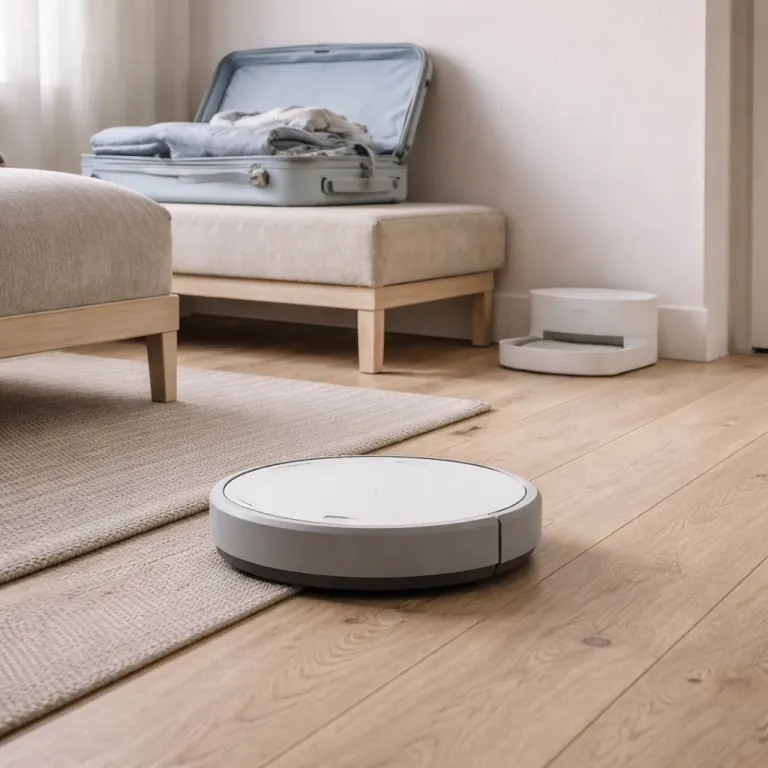
Dialing in robot vacuum vacation mode before you lock the door
Robot vacuum vacation mode only works if the basics are solid. Before a summer road trip or a winter ski week, treat your robot vacuum like a small appliance you will leave running unattended and walk through a strict pre departure checklist. That means thinking about cleaning reliability, dock capacity, and how your home layout changes when suitcases and school bags are left near the center of the floor.
Use this quick pre departure checklist for robot vacuum vacation mode:
- Dock and bag capacity: Start with the dock and bin, because a robot vacuum in vacation mode is useless if the self emptying bag is already half full. Most self emptying docks, such as those on the Roborock Q Revo or Ecovacs Deebot X2 Omni, are rated for roughly 30 to 60 days of dust in normal use according to manufacturer specifications, but that estimate shrinks fast in shedding season or with three kids tracking sand inside. In my testing in a 90 square metre flat with one dog, that translated to about 20 to 25 full cleaning sessions before suction dropped. Empty or replace the bag, wipe the dock sensors, and check that the dock has a stable, plain wall behind it so the robot camera does not misread a reflective image as an obstacle.
- Floor and clutter sweep: Clear trip hazards that become landmines for robot vacuums during unattended runs. Pick up charging cables, Lego bins, pet toys, and laundry piles, then push chairs fully under tables so the robot has a predictable border to follow. If you use a vacuum mop combo, such as a Narwal Freo robot vacuum mop, lift any rugs that bleed color when wet and set a no mop zone in the app around hardwood that swells with standing water.
- Water and mop care: Water management matters as much as dust when you enable vacation mode on a vacuum mop system. Empty and rinse the dirty water tank, then fill the clean tank and check the mop pads for wear so the robot does not smear grime across the floor while you are away. For the Narwal Freo robot and other freo style docks, I recommend setting the mop cleaning frequency to medium rather than high, which balances pad hygiene with tank size and reduces the risk of a low water alert on day three of your trip.
- Lighting and navigation: Finally, walk the route your robot vacuum usually takes and think like a sensor. Mirrors at the center of a hallway, glass doors with a light tint, and black rugs that look like a void to infrared sensors can all confuse navigation when the home is darker than usual. If needed, adjust lamp timers so there is enough light for the camera and LiDAR to read the room, because a robot vacuum in away mode that cannot see will just spin in place and drain its battery.
Smart schedules: daily light sweeps versus deeper every other day runs
Once the house is prepped, the real power of robot vacuum vacation mode comes from a smart schedule. For a busy parent with kids and pets, the choice is usually between a daily light cleaning pass and a deeper every other day run, and the right answer depends on floor type and how much debris builds up while you are gone. In summer, when sand, grass, and pet hair spike, I lean toward shorter daily runs that keep the bin manageable and reduce the chance of a clog mid week.
Most modern robot vacuum apps let you set room level schedules with different cleaning intensities, which is where you can tailor your vacation setup to your life. For example, you might schedule the kitchen and entryway for a daily pass at medium suction and a low water flow on the mop, while bedrooms run every third day at higher suction and no mop at all. This staggered approach keeps high traffic zones under control without overloading the self emptying dock or the vacuum mop water tanks.
Think about timing as well as frequency when you design a robot vacuum vacation mode schedule. Running the robot in the late afternoon can make the home sound occupied, while a mid morning run might be better if your building has quiet hours and thin walls. If you want to pair floor care with bathroom scrubbing, you can schedule a cordless spin scrubber session for the day before departure and use a tool such as an electric spin scrubber with an adjustable long handle, as reviewed in this detailed bathroom deep cleaning test.
Seasonal tweaks matter more than most manuals admit, especially when you rely on extended unattended runs for one to three weeks. During spring shedding, for instance, you may want to double the number of passes in pet zones and coordinate that with a grooming routine, using guidance such as the spring hair season setup explained in this peak pet hair tuning guide. In winter, when mud and de icing salt are the main culprits, it can be smarter to lower suction slightly and increase mop water flow so the robot lifts residue instead of grinding it into grout.
Whatever pattern you choose, test your robot vacuum vacation mode schedule for at least a full week while you are still home. Watch how full the dock bag gets, how damp the mop pads stay between runs, and whether any room consistently finishes with a low battery warning. Adjust the schedule, suction level, and mop intensity until the robot can complete every planned session without hitting its limits, because you will not be there to tap a cta button when an error pops up.
Remote monitoring, stuck robots, and making the house sound lived in
Robot vacuum vacation mode is only as reassuring as the feedback you get while you are away. App based remote monitoring has improved, but there is still a big gap between brands that send clear push notifications and those that bury alerts behind a tiny header icon. When you are 1 000 kilometres from home, you want a concise message that says the robot is stuck near the sofa, not a vague cleaning failed banner.
Look for apps that combine a live or recent cleaning map with a readable activity log, because this is the real control center for your away mode setup. Roborock, Ecovacs, and iRobot all show where the robot stopped, how long it cleaned, and whether the dock completed a self empty cycle, which helps you judge if a neighbour visit is necessary. Some high end models add a camera feed, but even without video, a clear map and timestamped log can tell you if the robot is repeatedly catching on the same border between a rug and hard floor.
When a robot vacuum gets stuck and you cannot walk in to rescue it, your options are limited but not hopeless. If you have a trusted neighbour or relative with a spare key, send them a screenshot from the app that shows the exact image of the stuck location and ask them to move the obstacle or prop a chair to change the path. If that is not possible, pause robot vacuum vacation mode entirely from the app to avoid repeated failed attempts that drain the battery and leave the dock half engaged.
There is also a subtle security angle to a vacation cleaning schedule that many parents appreciate. A scheduled cleaning run can add a layer of ambient noise that makes an apartment sound occupied, especially in older buildings where hallway sound carries through doors. If you pair this with smart light routines, the combination of motor hum, occasional dock noise, and shifting shadows can mimic normal life without relying on obvious timers.
For families considering a new model specifically for long unattended runs, it is worth reading detailed tests of advanced vacuum mop combos such as the Roomba Combo j9 Plus with AutoWash dock, which is examined in this in depth Roomba Combo review. These reviews often highlight how reliably the dock washes mop pads, dries them to prevent odour, and handles self empty cycles over weeks, all of which feed directly into a trustworthy robot vacuum vacation mode setup. Pay close attention to how the app handles error reporting and remote control, because that is the lifeline you will rely on when you are checking your phone between flights.
Self empty docks, capacity math, and why interface details still matter
The last piece of a vacation proof setup is understanding how long your self emptying dock can actually go before it chokes. Manufacturers often quote a number of days, but robot vacuum vacation mode is better planned around sessions per bag, which depends heavily on home size and shedding levels. In a 90 square metre flat with one short haired dog, I typically see 20 to 25 full cleaning sessions before a standard dock bag reaches its practical limit.
To estimate your own capacity, track how many runs it takes to fill a bag during normal life, then subtract a safety margin of 20 percent for vacation mode. If you usually get 30 runs, plan for 24 when you will be away, and change the bag just before departure so the robot vacuum vacation mode schedule never hits the red line. The same logic applies to mop water tanks and dirty water reservoirs, which often have a smaller size height than the dust bag and can quietly end your vacuum mop routine after only a week.
Interface details that sound like web design jargon can also shape how confidently you use robot vacuum vacation mode. A clear call to action area in the app, with readable font size and strong color contrast, makes it obvious where to pause cleaning or change a schedule when you are glancing at your phone in bright sun. When the start cleaning control looks like a tiny header button buried under a transparent overlay, you are more likely to mis tap the main control and trigger a full house run at three in the morning.
Think of the app layout as a kind of mobile control panel for your robot vacuum vacation mode. Good apps give the main control bar enough width that your thumb cannot miss, and they leave generous spacing around error messages so you do not dismiss them by accident. Clear header spacing, logical padding at the bottom of status panels, and a calm, neutral white background all help you read alerts quickly when your screen brightness is low.
Some brands even mirror responsive design ideas, adjusting the layout for a small phone screen so the map stays at the center and the key control button remains reachable. When the app uses a light, see through overlay for pop ups instead of a solid panel, you can still see where the robot stopped on the map while you read the error text. These small touches, combined with reliable hardware from systems like the Narwal Freo robot vacuum mop, turn robot vacuum vacation mode from a nervous experiment into a routine part of how you leave home.
FAQ
How often should my robot vacuum clean while I am on vacation ?
For most homes, a daily light pass in robot vacuum vacation mode works best. If you have multiple pets or heavy shedding, schedule high traffic areas such as the kitchen and hallway every day and bedrooms every other day. Test this pattern for a week before leaving to confirm the dock bag and water tanks can handle the load.
Is it safe to leave a robot vacuum running for several weeks ?
It is generally safe if you follow a strict pre departure checklist and use robot vacuum vacation mode thoughtfully. Clear cables and small objects from the floor, empty or replace the dock bag, and ensure the dock sits on a stable, dry surface away from curtains. For extra peace of mind, use app based monitoring and be ready to pause cleaning remotely if repeated errors appear.
What happens if the robot gets stuck when I am far from home ?
If your robot vacuum reports that it is stuck during vacation mode, first check the map and error message in the app. When possible, ask a neighbour with a spare key to move the obstacle and place the robot back on its dock. If no one can help, pause all scheduled runs to avoid battery drain and resume normal cleaning when you return.
Do I need a self emptying dock for vacation mode to work ?
A self emptying dock is not mandatory, but it makes robot vacuum vacation mode far more reliable. Without one, the onboard bin may fill after only a few sessions, especially in homes with pets or carpets. If you travel often for one to three weeks at a time, a dock with at least 20 to 30 session capacity is a practical upgrade.
Can a robot vacuum help make my home look occupied ?
Yes, a well planned robot vacuum vacation mode schedule can add subtle signs of life. Timed runs create motor noise and occasional dock sounds that neighbours may hear, which can complement smart light routines. While it is not a security system, this background activity can make an empty home feel less obviously vacant.