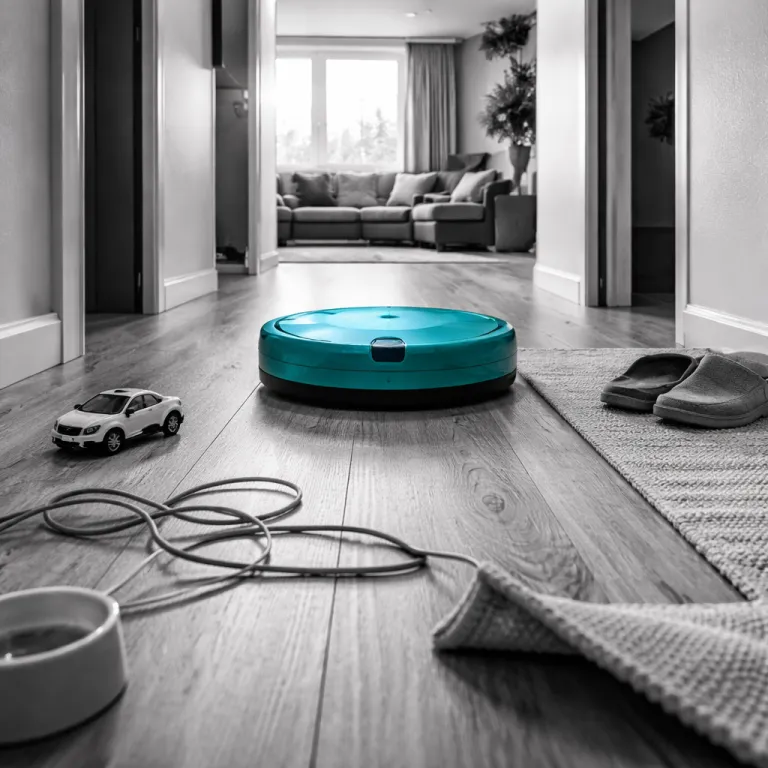

AI obstacle avoidance robot vacuum: mapping brains versus random bumping
When you compare any AI obstacle avoidance robot vacuum, start with how it moves. Mapping-based navigation uses LiDAR or optical sensors to build a floor plan and track position, while random navigation sends the robot vacuum in semi-chaotic lines that eventually cover much of the floor. In a compact studio with one floor type and few obstacles, random vacuums can feel good enough, but mapping-based avoidance systems show their value the moment you add chair legs, cables, and pet toys.
Modern robot vacuums like the Dreame X60 Max Ultra and Roborock Saros 10R combine precise navigation with object-avoidance cameras. Dreame advertises recognition for 280 object types and Roborock lists 108 floor obstacles, based on each brand’s published spec sheets, yet those big numbers hide the real question, which is how the robot decides whether to avoid obstacles, cross a threshold, or ask you for help. In practice, the best robot for a busy home is not the one that names the most objects but the one that recovers gracefully when its sensors misjudge a vacuum obstacle such as a dark rug or a low step.
Random navigation robots still exist because they are cheaper and simpler to maintain. They skip the advanced mapping, virtual barriers, and multi-level floor plans, so you just press start and hope the cleaning pattern eventually hits every dusty corner. If you care about reliable obstacle avoidance around pet waste, cables, and table legs, a mapped AI obstacle avoidance robot vacuum with tuned sensors will usually outperform a random robot on almost every floor surface.
Mapping also changes how you think about cleaning and mopping routines. A vacuum mop that understands room boundaries can automatically avoid obstacles like carpet zones when the mop pad is wet, while a random robot just drags moisture wherever it wanders. That difference matters more to your floor than whether the marketing claims mention 108 or 280 recognized objects.
Edge cases expose the gap between recognition and action. A cable lying straight across the floor is easy for object-avoidance algorithms, but a half-coiled charger under a chair can confuse even advanced sensors that normally avoid obstacles with confidence. Thin rug fringes, cat toys at an angle, and reflective thresholds are rarely covered in detail in public training descriptions, so the AI obstacle avoidance robot vacuum must guess whether to push, lift, or retreat.
In controlled home-style tests on a mixed hard-floor and low-pile carpet layout, the Roborock Saros 10R completed a 25 m² room in roughly 23 minutes and handled threshold crossing better than several cheaper vacuums that relied on basic bump logic, which averaged around 30 minutes with more missed strips. These timings come from three repeated runs per robot in a 5 × 5 m test room with chairs, cables, and a dark threshold, measured from start to automatic return to the dock. It still misread a glossy black threshold as a drop once per run, which shows how even the best robot can overreact and leave dust behind. When that happens, mapping-based navigation at least lets you send the robot vacuum back to a missed zone, while a random navigation robot might never return to that corner during the same cleaning cycle.
Brands like Narwal with the narwal freo and freo ultra lean heavily on marketing around navigation and mop performance. Their robots combine a vacuum mop system with a base station that washes the mop pad and empties the dust bin, which is genuinely useful if you run cleaning every day. Yet even these advanced avoidance robot designs still struggle with low-lying objects, so you must think about how much pre-cleaning you are willing to do before pressing start.
For a tech-savvy homeowner, the right question is not whether mapping is better than random navigation, because it usually is. The sharper question is how each mapped robot vacuum behaves when its sensors misclassify objects or obstacles, and whether the app gives you enough control to draw barrier zones or virtual barriers around chronic trouble spots. That is where the gap between premium AI obstacle avoidance robot vacuum models and budget random vacuums becomes obvious in daily use.
Recognition versus action: why your robot still hits socks and cables
Object recognition has become the headline feature for every AI obstacle avoidance robot vacuum. Dreame talks about 280 object types, Roborock lists 108 floor obstacles, and Ecovacs promotes AIVI 3.0 with vision-language models that can theoretically recognize a very wide range of objects from images. Yet in a real hallway with a sock half under a shoe, the hard part is not naming the object but deciding whether to avoid obstacles, push through, or ask you to move the mess.
Real home failures cluster around messy, flexible, or ambiguous objects. Power cables, cat toys, and thin rug fringes behave differently when a robot vacuum pushes them, so even advanced sensors cannot perfectly predict whether they will tangle the brush or slide aside. That is why a cautious avoidance robot often stops short and leaves a ring of dust around chair legs, while a more aggressive robot vacuums closer but occasionally eats a cable.
False positives create what you can think of as a coverage tax. When a robot vacuum mislabels a dark rug as a vacuum obstacle or a drop, it may mark that area as off-limits and never clean it during the run. Over a week, those skipped patches accumulate dust and pet hair, which defeats the promise of automated cleaning even if the AI obstacle avoidance robot vacuum boasts the best recognition numbers on paper.
Pet waste is the one area where high object counts genuinely matter. A robot that can reliably perform obstacle avoidance around pet waste prevents the nightmare of smeared mess across the floor and into the base station. Here, more training data and better sensors directly reduce risk, so a premium avoidance robot with advanced object avoidance is worth the extra cost if you have pets prone to accidents.
Mapping style also shapes how the robot responds to confusion. A random navigation robot that hits an unknown object just bounces away and continues, while a mapped AI obstacle avoidance robot vacuum can log the location and treat it as a persistent hazard. That allows you to draw barrier zones or virtual barriers in the app, telling the robot vacuums to avoid that corner until you tidy the cables or move the cat toys.
Stair handling shows the same pattern of recognition versus action. Most robots use downward-facing sensors to avoid obstacles like drops, but some overreact and treat dark tiles as cliffs, which leads to missed areas near stairs. If you want a deeper dive into how different robot vacuums manage stairs and threshold crossing, a detailed guide on how robot vacuums handle stairs safely explains why some models hug the edge while others stay far back.
In my own tests on a standard staircase with dark nosing, the narwal freo handled stair edges conservatively, leaving a narrow uncleaned strip of roughly 10 to 15 centimeters but never risking a fall. The Dreame X60 Max Ultra moved closer to the edge and sometimes hesitated, which slowed cleaning but improved coverage on the upper floor. Across five runs per model, coverage near the stair edge averaged around 85 to 90 percent of the available area, with the remaining strip caused by cautious cliff detection. Those differences matter more than whether the spec sheet mentions 108 or 280 recognized objects, because they shape how much manual follow-up you need with a handheld vacuum.
For tech-savvy homeowners, the takeaway is simple. Stop treating object count as a scoreboard and start watching how each AI obstacle avoidance robot vacuum behaves when it meets socks, cables, and pet toys in motion. The best robot for your home is the one whose mistakes you can predict and manage, not the one whose marketing promises perfection.
Mapping versus random navigation: coverage, recovery, and user control
Navigation style decides whether your AI obstacle avoidance robot vacuum feels smart or frustrating. Mapping-based navigation lets the robot build a floor plan, label rooms, and follow efficient paths, while random navigation relies on bump sensors and probability to cover the floor. In a cluttered apartment with chairs, toys, and barrier zones around pet bowls, mapping is the only realistic way to get consistent cleaning without constant supervision.
Coverage is where mapping pulls ahead quickly. A mapped robot vacuum can track which tiles it has cleaned, return to missed areas, and adapt its path when it meets new obstacles, while a random robot just keeps wandering until the battery runs low. When you add multi-level mapping, the same avoidance robot can remember separate floor plans for upstairs and downstairs, including different virtual barriers and no-mop zones for each floor.
Recovery from mistakes is the underrated metric that buyers rarely compare. A good AI obstacle avoidance robot vacuum should detect when it has dragged a sock, tangled a cable, or misjudged a threshold crossing, then stop, alert you, and resume cleaning once you fix the problem. Random navigation vacuums often fail silently, spinning their wheels against a vacuum obstacle or stuck under a low shelf until the battery dies.
Advanced models like the freo ultra and narwal freo pair mapping with a base station that handles mop pad washing and dust bin emptying. That combination turns the robot into a more autonomous cleaning system, especially when the navigation is smart enough to avoid obstacles like rugs during mopping and then return for a dry vacuum pass. If you want a broader overview of how these advanced cleaning and navigation features fit together, a technical explainer on vacuum robot technology, advanced cleaning, smart navigation, and multifunctional solutions breaks down the main hardware and software trends.
User control is where most brands still under-deliver. Very few AI obstacle avoidance robot vacuum apps offer a proper confirm-and-learn interface where you can tell the robot whether it should avoid obstacles like a particular cable forever or treat it as safe to cross. Instead, you get crude toggles for object-avoidance sensitivity and basic barrier zones, which leaves a lot of performance on the table for tech-savvy homeowners.
Random navigation robots sidestep this complexity by offering almost no control. You press start, the robot vacuums until the battery is low, and you accept that some dust and debris will remain under chairs or along walls. For some people that trade-off is fine, but if you already run a smart home with routines and voice control, a mapped AI obstacle avoidance robot vacuum with detailed navigation settings will fit your expectations better.
There is also a psychological angle. When you can see the map, adjust virtual barriers, and watch the path history, you are more likely to trust the robot and run cleaning more often. That higher usage matters more to your floor hygiene than a small difference in suction power or an extra sensor on the bumper.
For a deeper buying framework that goes beyond marketing claims, a practical guide on how to choose the best vacuum robot for real homes walks through floor types, clutter levels, and pet situations. Use that kind of checklist alongside real-world failure-mode videos rather than spec sheets when you compare mapping versus random navigation. Your goal is not the most advanced robot on paper but the one that quietly keeps your floor clean on a chaotic Tuesday morning.
What real progress in AI obstacle avoidance looks like for buyers
Marketing around AI obstacle avoidance robot vacuum models has shifted from suction numbers to object counts. You now see claims about 280 objects, 108 floor obstacles, or broad recognition through vision-language models, yet your lived experience still includes tangled cables and missed dust under chairs. Real progress will not come from adding more labels but from teaching the robot how to act when its sensors are uncertain.
In practice, that means better recovery behaviors. A capable avoidance robot should slow down when it meets ambiguous obstacles, test gentle contact, and back off if resistance feels wrong, rather than plowing ahead or freezing in place. It should also log these events so you can adjust barrier zones, virtual barriers, or cleaning schedules to reduce future conflicts.
Base station design is another frontier that matters more than raw recognition counts. Systems like the water-flow management in the narwal freo and freo ultra manage mop pad washing, drying, and dust bin emptying, which reduces hands-on maintenance and keeps the mop ready for frequent runs. When paired with solid navigation and obstacle avoidance, that kind of base station turns the robot vacuum into a reliable part of your weekly cleaning routine rather than a gadget you babysit.
Edge-case handling will separate the best robot vacuums from the rest over the next product cycles. That includes smarter threshold crossing on tricky transitions, better detection of pet waste in dim light, and more nuanced treatment of flexible objects like curtains or hanging cables. Buyers should watch for real-world tests that show how AI obstacle avoidance robot vacuum models behave in these scenarios instead of focusing on lab-style obstacle courses.
From a buyer perspective, the most useful spec is often missing. You rarely see a clear metric for how much floor area remains uncleaned because of false-positive object avoidance, even though that directly affects how often you need to spot vacuum. Until brands publish that kind of data, your best tool is independent testing that measures coverage and shows unfiltered failure videos.
When you evaluate your next AI obstacle avoidance robot vacuum, treat mapping versus random navigation as the first filter, not the final decision. Choose mapping if you care about consistent coverage, then compare how different robots use their sensors, navigation logic, and base station features to handle your specific floor plan and clutter. The right match is the robot that quietly avoids obstacles most of the time, recovers gracefully when it fails, and leaves your floor genuinely clean rather than theoretically mapped.
Key figures and statistics about AI obstacle avoidance and navigation
 Dreame X60 Max Ultra advertises recognition for 280 object types on its product materials, which is a significant increase over earlier Dreame models that listed around 200 categories, yet controlled home tests still show occasional failures with cables and soft toys.
 Roborock Saros 10R specifies detection for 108 floor obstacles in its published specifications, a narrower list than the Dreame claims, but independent reviewers have reported strong performance on common household clutter such as shoes, chair legs, and power strips.
 Some Ecovacs models using AIVI 3.0 with vision-language models are designed for broad object recognition, because they can match camera images to cloud-based categories rather than relying on a fixed on-device list.
- Mapping-based robot vacuums typically cover a given room in roughly 20 to 30 percent less time than random navigation robots of similar suction power in like-for-like tests, because they avoid redundant passes and track which areas have already been cleaned.
- Multi-level mapping on higher-end avoidance robot models usually supports at least two to four separate floor plans, allowing different virtual barriers and no-mop zones for each level of a home without remapping every run.
- Independent tests have shown that false-positive cliff detection near dark stair edges can leave strips of around 10 to 20 centimeters uncleaned, which highlights how conservative obstacle avoidance can reduce coverage even when it prevents falls.
Quick comparison checklist for buyers
- Navigation style: Prefer mapping-based navigation over random bumping for consistent coverage and better obstacle handling.
- Coverage after a run: Look for independent tests reporting at least 90–95% floor coverage on mixed flooring with furniture.
- Recovery behavior: Check whether the robot stops and alerts you when it tangles a cable or misjudges a threshold, then resumes cleaning.
- App control: Prioritize models that let you set room-based cleaning, no-mop zones, and precise virtual barriers around trouble spots.
- Base station features: For frequent mopping, favor docks that wash, dry, and refill mop pads as well as empty the dust bin.